
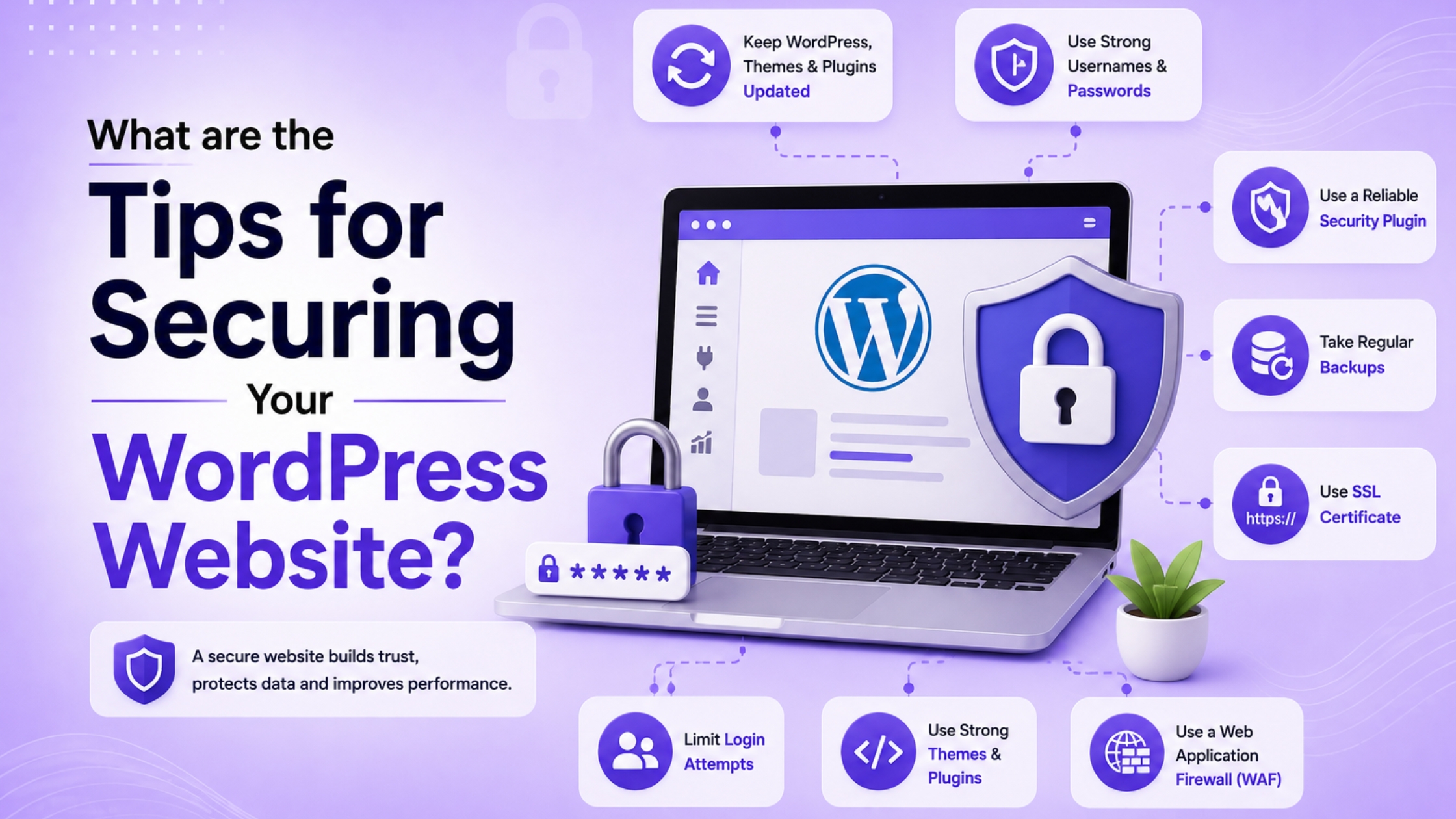
A WordPress website enables organizations to expand their presence online, interact with clients, and establish credibility. However, failure to protect your website from potential threats exposes it to vulnerabilities, including hacking, malware, and spamming attacks.
Most individuals believe that only big websites are prone to cyber attacks. On the contrary, small websites are targeted frequently as they tend to lack sufficient security measures. The positive side of website protection is that it requires no special technical skills. A few steps can make your website safe. For those who are interested in learning how to secure wordpress site, here is all you need.
Why WordPress Security Matters
A secure website will protect the reputation of your business, personal data, and rankings on search engines. Failure to ensure security can lead to issues with your website.
- Data Protection – Hackers will be able to access customer information, passwords, and other critical information in case the security of your website is poor.
- SEO Rankings – Google could either demote or block websites with any malicious code or spam pages.
- Customer Trust – Users tend to avoid websites that show security warning messages since they do not trust them anymore.
How to Secure WordPress Site?
Following the right steps regularly can improve your website security and reduce cyberattack risks significantly.
Step 1: Choose Secure Hosting
Good hosting providers offer security tools that help protect websites from malware, hacking attempts, and suspicious traffic.
Security Feature | Why It Matters |
SSL Certificate | Protects visitor information and improves trust |
Daily Backups | Helps restore website files quickly |
Firewall Protection | Blocks suspicious traffic and attacks |
Malware Scanning | Detects harmful files and malware |
Automatic Updates | Reduces risks from outdated software |
Many businesses also work with a professional Web development Agecny to choose secure hosting and maintain website protection.
Step 2: Employ Strong Passwords
Use strong passwords to prevent hackers from gaining easy access to websites via automated logins and password-cracking software. Strong passwords include capital letters, small letters, numerals, and symbols that enhance security when logging into websites.
Do not use common passwords, personal information, or shared passwords for multiple websites.
Step 3: Activate Two Factor Authentication
Two-factor authentication provides an additional level of security by requiring users to enter verification codes whenever they log into any website. After successfully entering the password, users receive temporary verification codes through emails, SMS, and authenticator applications, which prevent hackers from accessing their accounts even if passwords are compromised.
Step 4: Updating Plugins and Themes
One of the major causes of hackers being able to break into websites built on WordPress is due to outdated plugins and themes. It is therefore important to always update WordPress files, themes, and plugins whenever there are new releases by the developers.
Remove inactive plugins and themes because outdated but unused files might present security threats to websites.
Also Check This Blog – Explain the Present status of e-commerce in India
Best WordPress Security Plugins for Website Protection
Security plugins can be used to detect malicious activities, prevent attacks, and ensure better website protection without any technical skills.
1. Malware Scanning – These plugins regularly scan your site’s files and instantly detect any malware or suspicious code.
2. Firewall Security – Firewalls that come with security plugins prevent any malicious traffic and spam bots from accessing your website server.
3. Login Protection – Most security plugins restrict any malicious login attempts on WordPress admin panel.
Some of the most commonly used WordPress security plugins are:
- Wordfence
- Sucuri
- iThemes Security
These plugins offer some useful wordpress security tips for novices and business websites.
Benefits of SSL Certificates for WordPress Security
SSL certificates safeguard any data exchanged between your website and its users through encryption of website data transfer.
1. HTTPS Security – With SSL certificates, HTTPS is enabled which makes the web browsers identify your website as secure for the visitors using them.
2. Secure Payments – SSL certificates are necessary for the ecommerce websites to protect the payment information of customers.
3. Trust Factor – Visitors will be more secure when they use websites showing the HTTPS connection.
WordPress Backup Tips for Better Website Safety
Website backups help recover lost data after malware attacks, server failures, plugin errors, or accidental file deletions.
1. Daily Backups
Create daily backups to safeguard important website data, customer data, and other business-related website files from getting damaged.
2. Cloud Backup
Use cloud storage for backup since failure of servers can cause permanent damage to your backup website files that you store locally.
3. Rapid Website Restoration
Good backups will make sure that your website can be restored without any loss of important data.
Why Removing Unused Plugins Improves WordPress Security?
Unused themes and plugins increase security risks because outdated files can still become targets for malware and hackers. Removing unnecessary plugins reduces possible entry points hackers may use to damage or access website files illegally. Fewer plugins improve website speed, reduce loading problems, and create better experiences for visitors using your website.
Keeping only necessary plugins makes website maintenance simpler and reduces confusion during updates or troubleshooting tasks.
Risks of Using Nulled WordPress Themes and Plugins
Nulled themes and plugins may appear free, but they often contain malware, hidden links, or harmful security vulnerabilities.
- Hidden Malware
In many cases, the pirated theme contains malicious software that will steal data from your website and secretly compromise its performance.
- SEO Penalties
The malware that could be included in the plugin may create spammy websites that will harm your website ranking.
- Trustworthy Sources
To ensure maximum security and safety, always use official plugin and theme directories or trusted third-party developers.
Conclusion
Security of the website is required for all WordPress websites, regardless of their nature, whether a blog, business, or e-commerce site. These small practices include using strong passwords, updating the website frequently, backing up the data, installing security plugins, etc. Through these WordPress security best practices, users can enhance their website’s security.
Frequently Asked Questions
Using strong passwords, enabling SSL, updating plugins regularly, and installing security plugins improve website protection significantly.
Website security protects customer information, improves search rankings, and prevents hackers from damaging important website content.
Plugins, themes, and WordPress core files should be updated whenever developers release important security or feature updates.
Free themes from official WordPress directories are generally safe, but unknown sources may contain harmful malware or hidden scripts.
Yes, small websites are often targeted because many owners ignore important security settings and regular website maintenance.





Leave a Reply